
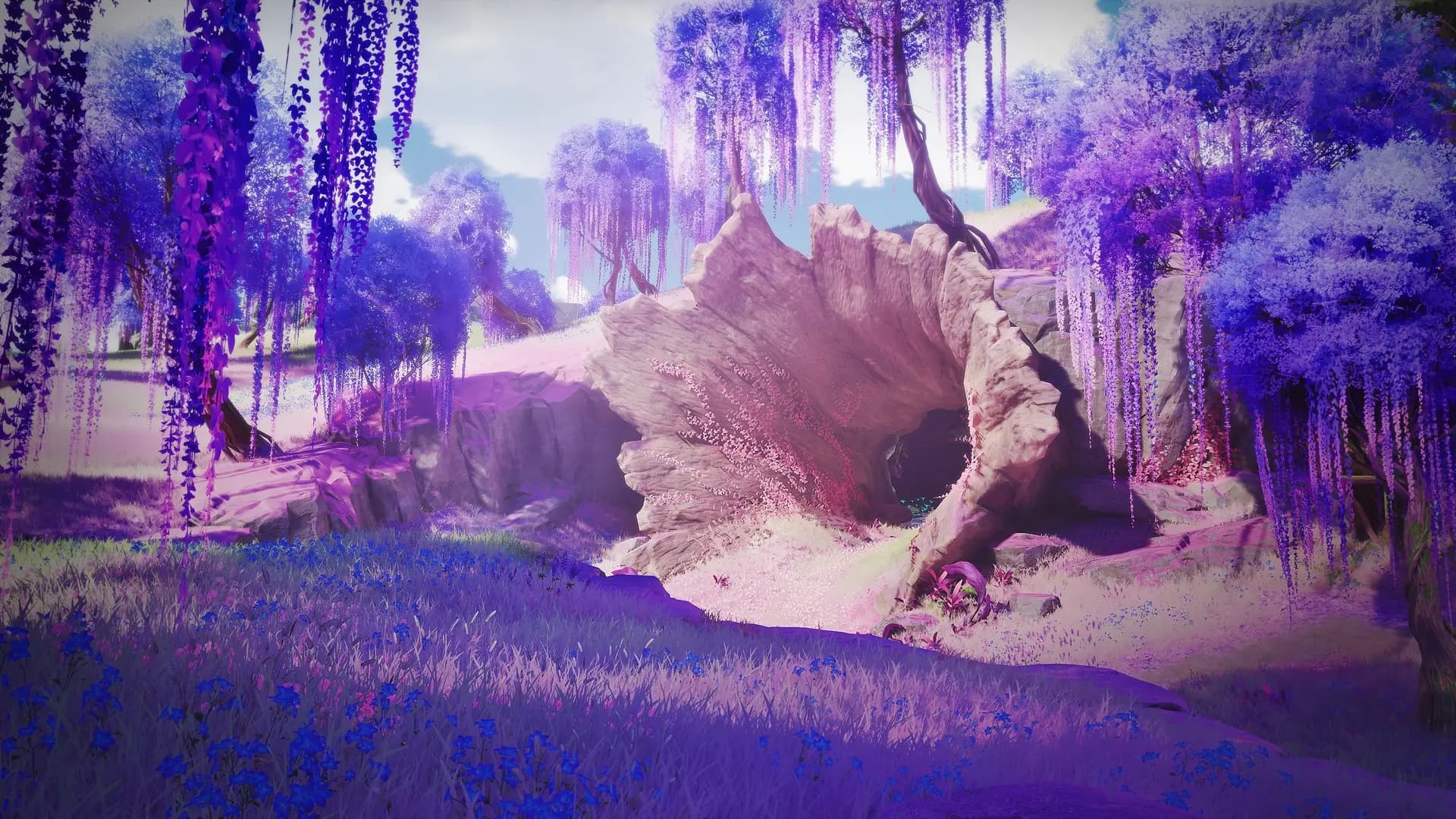
Choose the companion you want to raise
Start with a trained Aniimo and the replacement you want to use from its evolution family. Identify both by their individual details, especially when they have the same name. Keep both until you have inspected the completed transfer.
Evolution changes a companion’s stage or form under its own requirements. Potential describes the individual you caught and its development. Inherit moves invested training; it does not let you choose a new species, appearance or perfect set of innate stats.
The walkthrough uses PC footage published September 23 and October 2, 2026. Its interface is Chinese; the exact build number is not shown. Follow the labels and confirmation in your own client if controls or amounts differ.
Open Inherit and choose the recipient
- Open Aniimo management and select the trained donor. If it is assigned to a team, remove it from the combat and exploration rosters before looking for Inherit.
- Open the individual’s information tab marked with an exclamation point, then choose Inherit. Use the trained donor to start this operation.
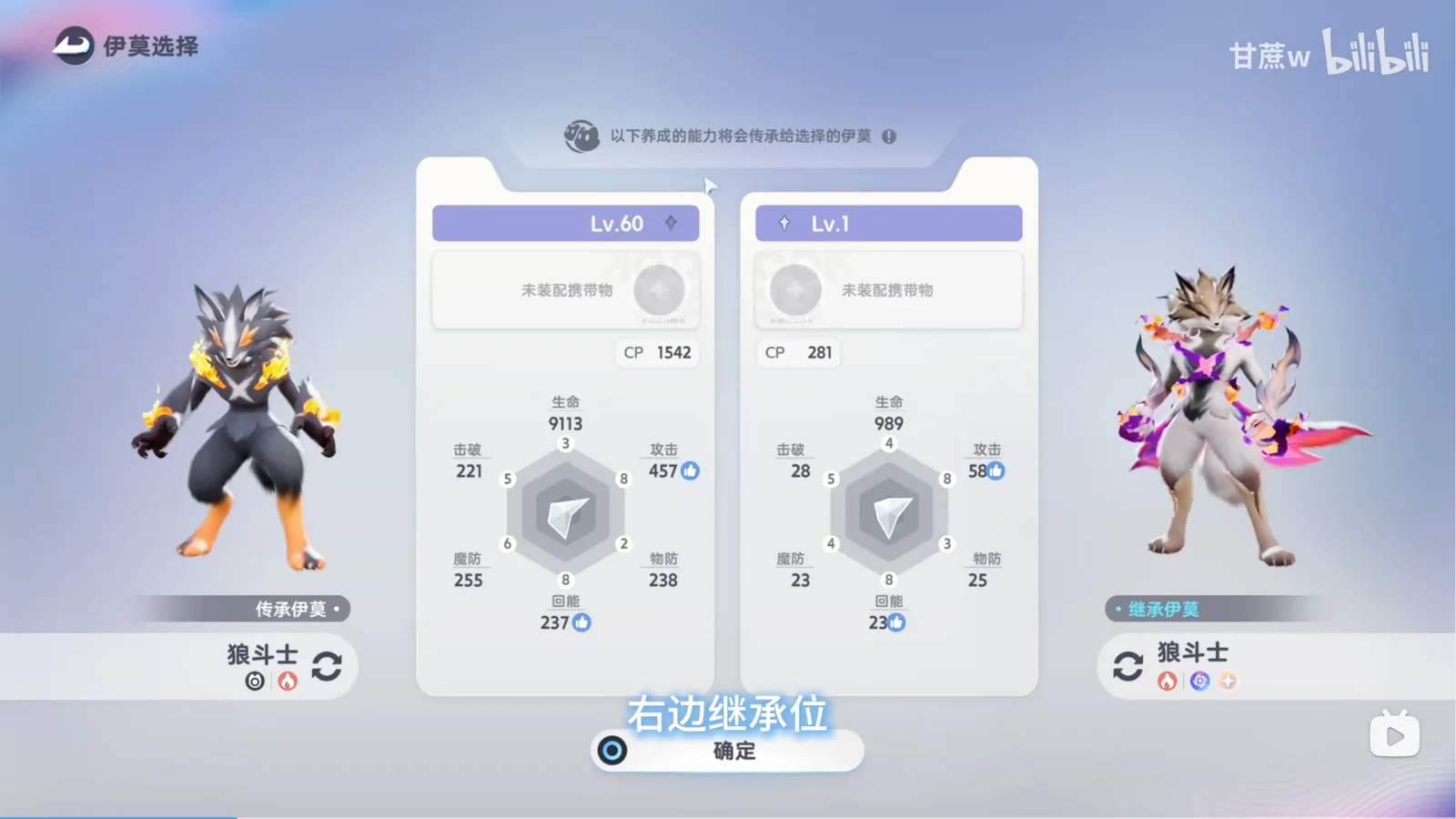
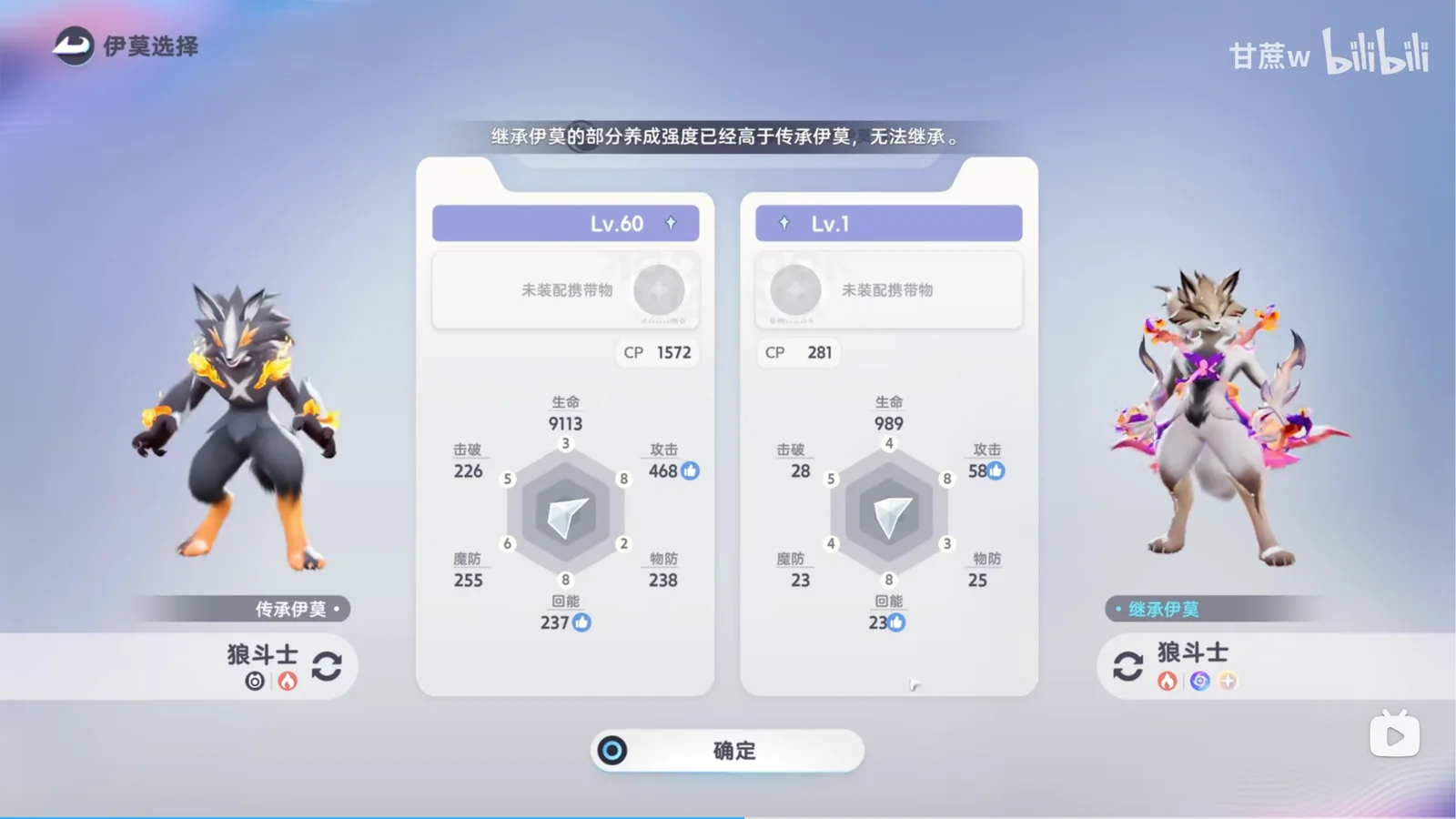
- On the selection screen, check the donor on the left. Use the plus control on the right to select the recipient.
- Compare the two names, levels and training indicators. If they are reversed, change the selections before continuing.
What transfers, and what to keep separate
| Property | What to expect |
|---|---|
| EXP, level, Resonance stage, star rank and Capability Awakening | The in-game English help lists these as inherited training, with excess training items returned. Compare the relevant panels afterward. |
| Capafruit effects | The launch developer letter explicitly says these transfer automatically during inheritance. |
| The donor itself | It remains in the collection in the filmed example, with its level reduced to the recipient’s former level. |
| Individual identity | The two filmed companions retain their distinct appearance and personality. Do not expect the donor’s identity to replace the recipient’s. |
| Other properties | Held items, skill configuration, special-trait combinations and unusual family exceptions are not established by this example. Inspect them separately instead of treating them as guaranteed transfers. |
Read the fee before the final confirmation
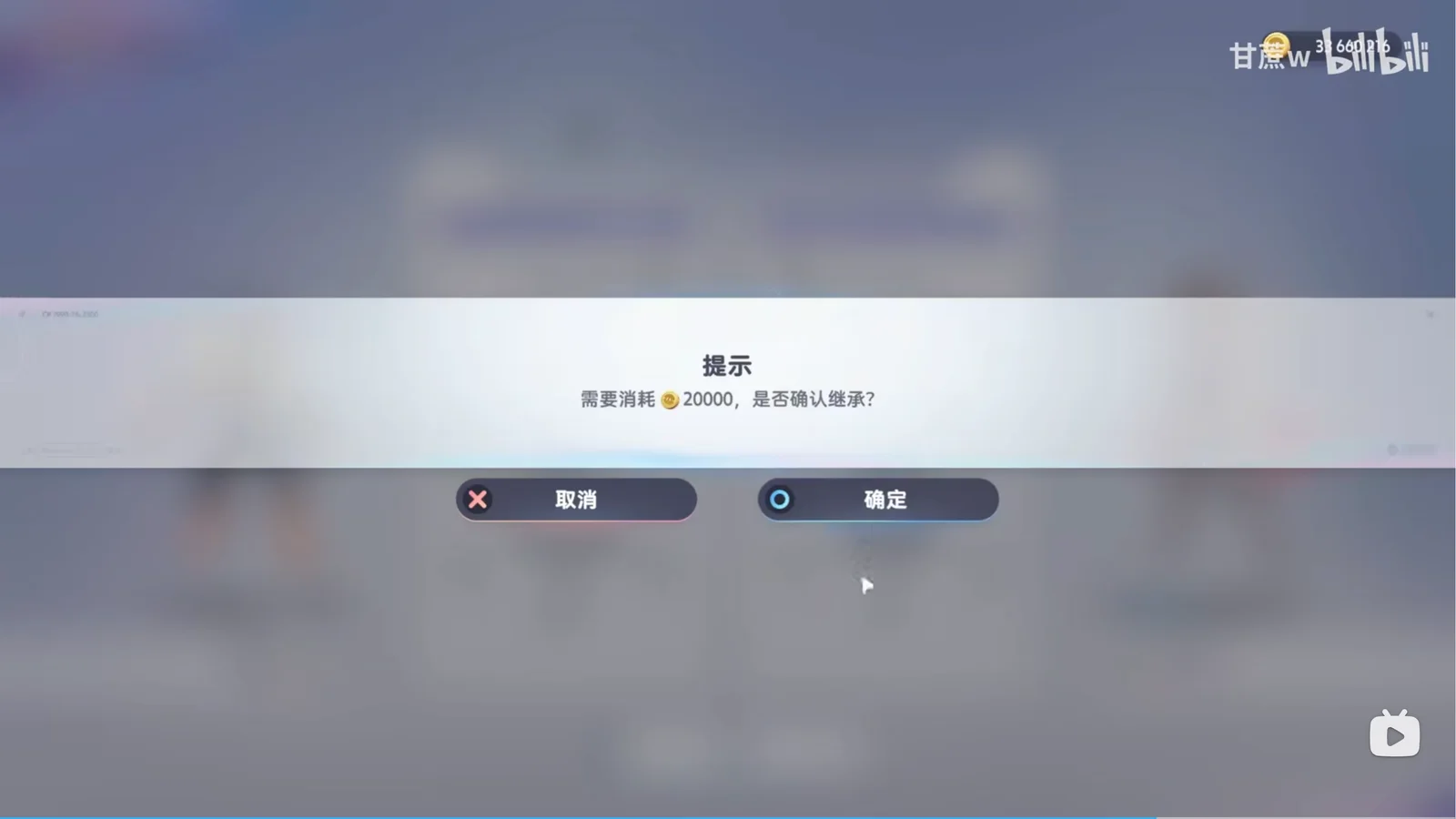
The October 2 PC recording shows a fee of 20,000 beside a gold coin icon. Check the amount in your own confirmation screen before paying; fees in other versions are unconfirmed.
Check the pair before you confirm
Use this checklist while reviewing the pair in game. The game determines whether they can inherit. Your checks clear when you reload this page.
Check both companions after success
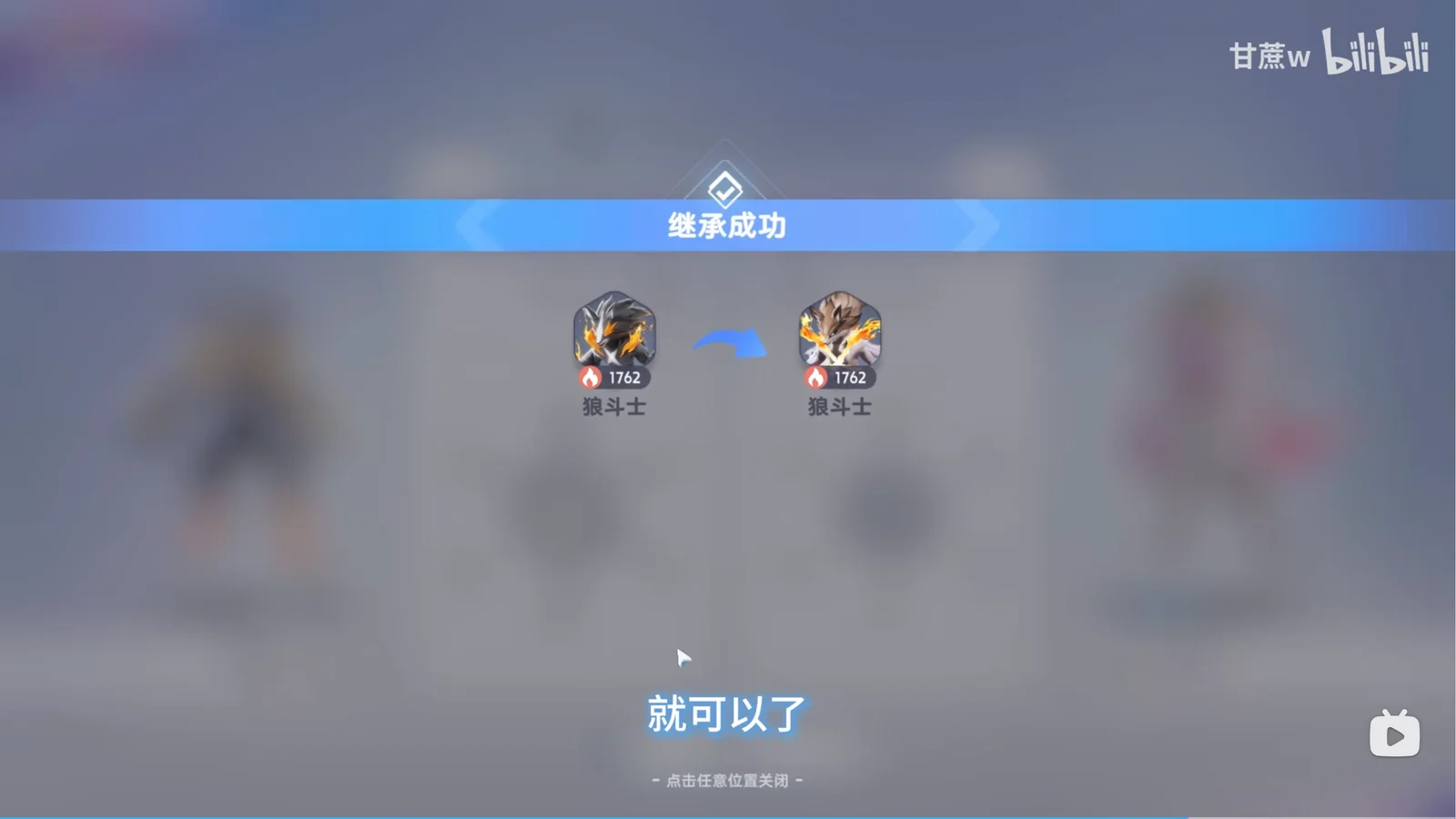
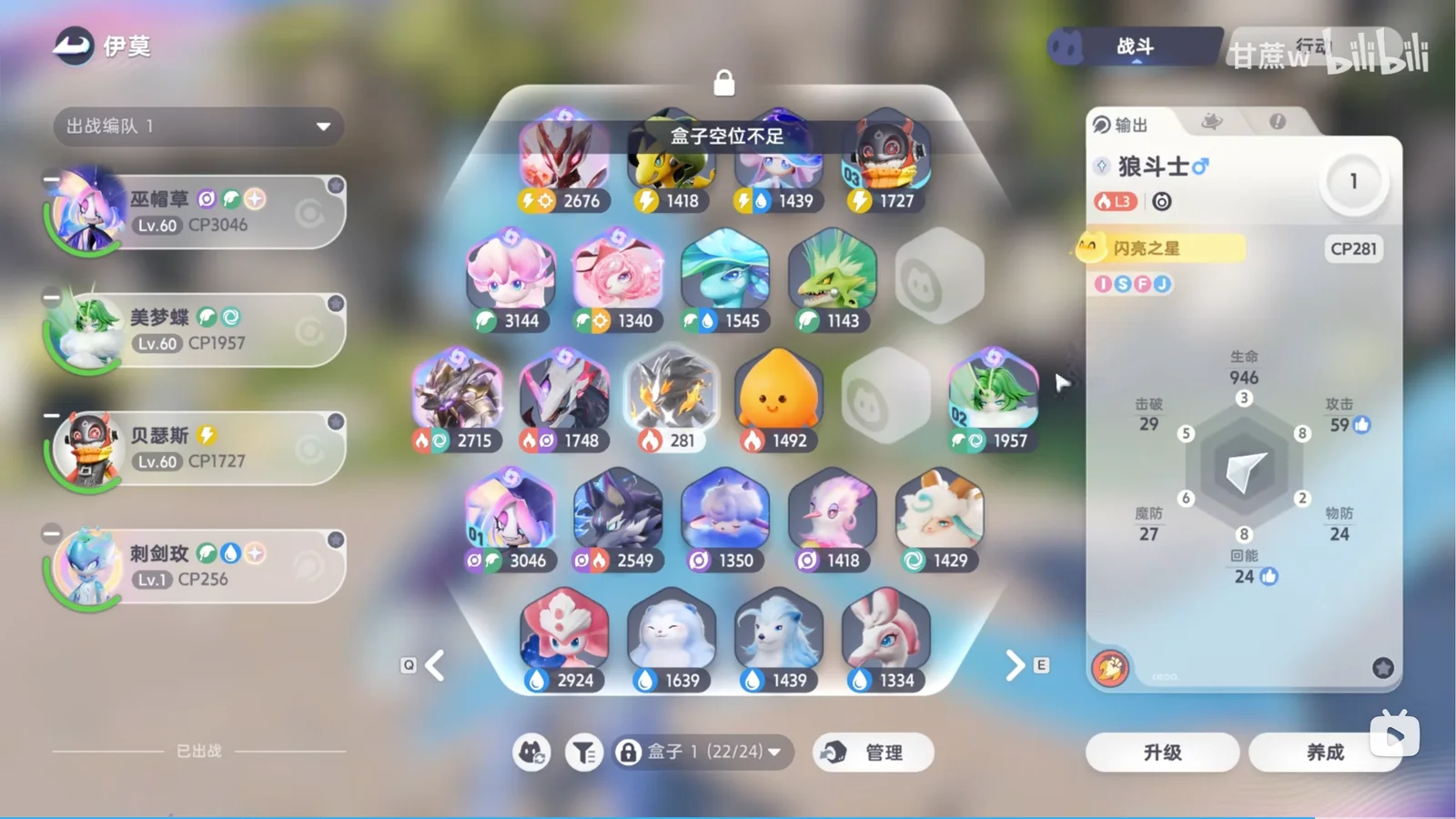
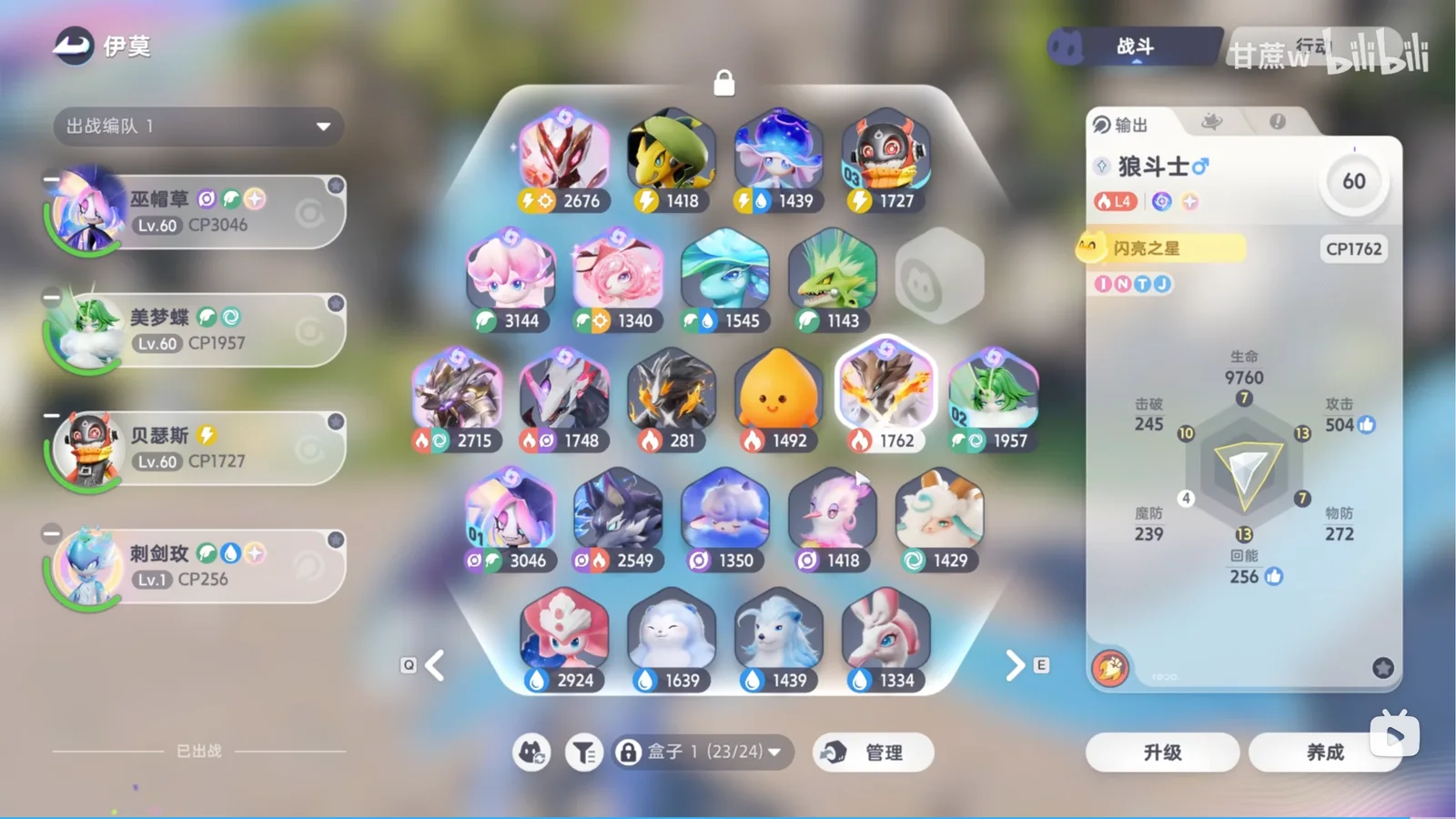
Wait for the success notice, then inspect both individuals in your collection. In this recording the creator first adds training to resolve a restriction. The final transfer keeps the recipient at its own appearance and personality while raising it from Lv.1 to Lv.60; the original donor remains at Lv.1.
The success banner’s CP figures show the transfer animation. Use each individual’s collection panel to check the actual result, including level, Resonance and Awakening. CP can differ between individuals even with transferred training.
When Inherit is missing or rejected
| Problem | Check | What success looks like |
|---|---|---|
| Inherit is missing | Select the intended donor, check combat and exploration assignments, then reopen its information tab. | The individual’s Inherit control is visible. |
| The recipient cannot be selected | Read the selection message and check the chosen family, roster assignments and whether the same individual is already on the other side. | The intended recipient appears on the right. |
| Recipient training is higher | Compare every training field named by the message. The filmed Lv.60 donor is initially rejected against a Lv.1 recipient. Level alone does not determine eligibility. | The game accepts the pair and proceeds to the payment notice. |
| No training to inherit | Inspect whether the donor has eligible invested training. A high wild-caught level alone does not establish this. Avoid spending random items just to force a transfer. | The selected donor has the training you intend to move, and the game accepts it. |
| The result seems wrong | Select both individuals and compare their level and training panels with your before screenshots. Check identity and innate stats separately. | The intended recipient has the expected training; both individuals are accounted for. |
The creator raises several training fields before succeeding. That sequence does not prove that one Awakening or one star-up fixes every rejected pair. Read your own restriction before spending materials.